17 modules, one workspace
Everything your HR team does, in one place
From a new hire’s first day to the day they leave. Every plan starts with the core — people, leave, public holidays, time tracking and record retention — and you switch on more modules as you grow.
Jump to an area
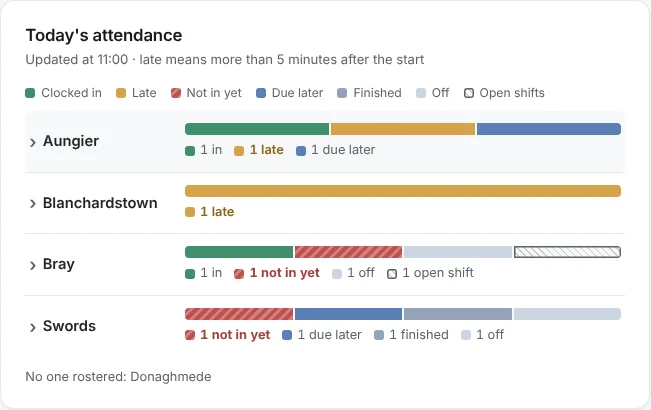
Today’s attendance, the moment you sign in
The dashboard shows each location’s day at a glance: who has clocked in, who is late or not in yet, who is due later, who has finished, who is off and which open shifts nobody has taken. Open a location to see the names. HR sees every location; managers see their own team.
- Coming up: the next 30 days of visa and document expiries, signatures due, end dates and probation ends
- The bell: leave to approve, flagged shifts, expense claims, documents to sign and open-shift requests, counted from what you’re allowed to act on
- Search: find anyone by name or employee number from the top bar (press /)
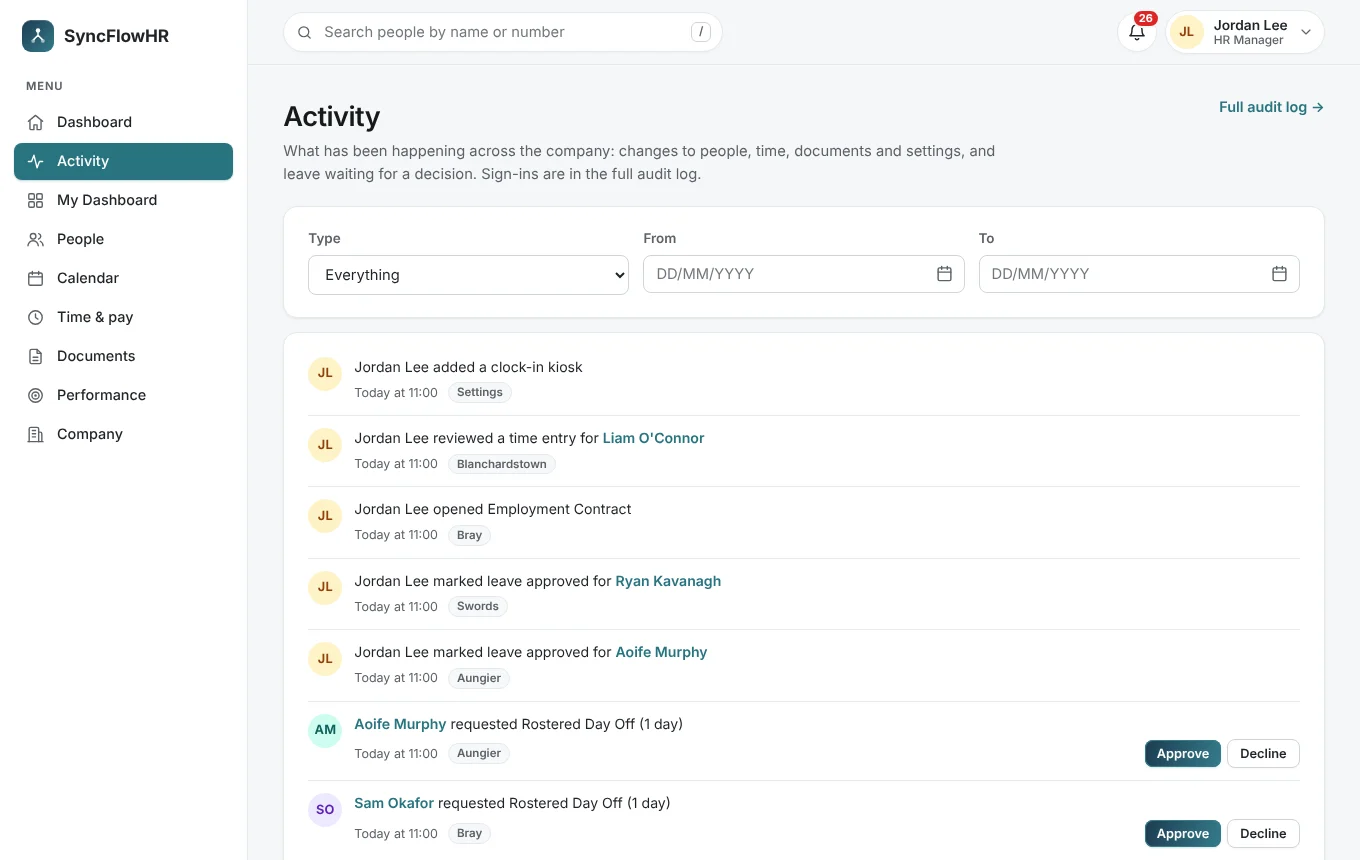
- Activity: the full feed of recent changes and requests, filtered by type and date
People, roles and who can see what
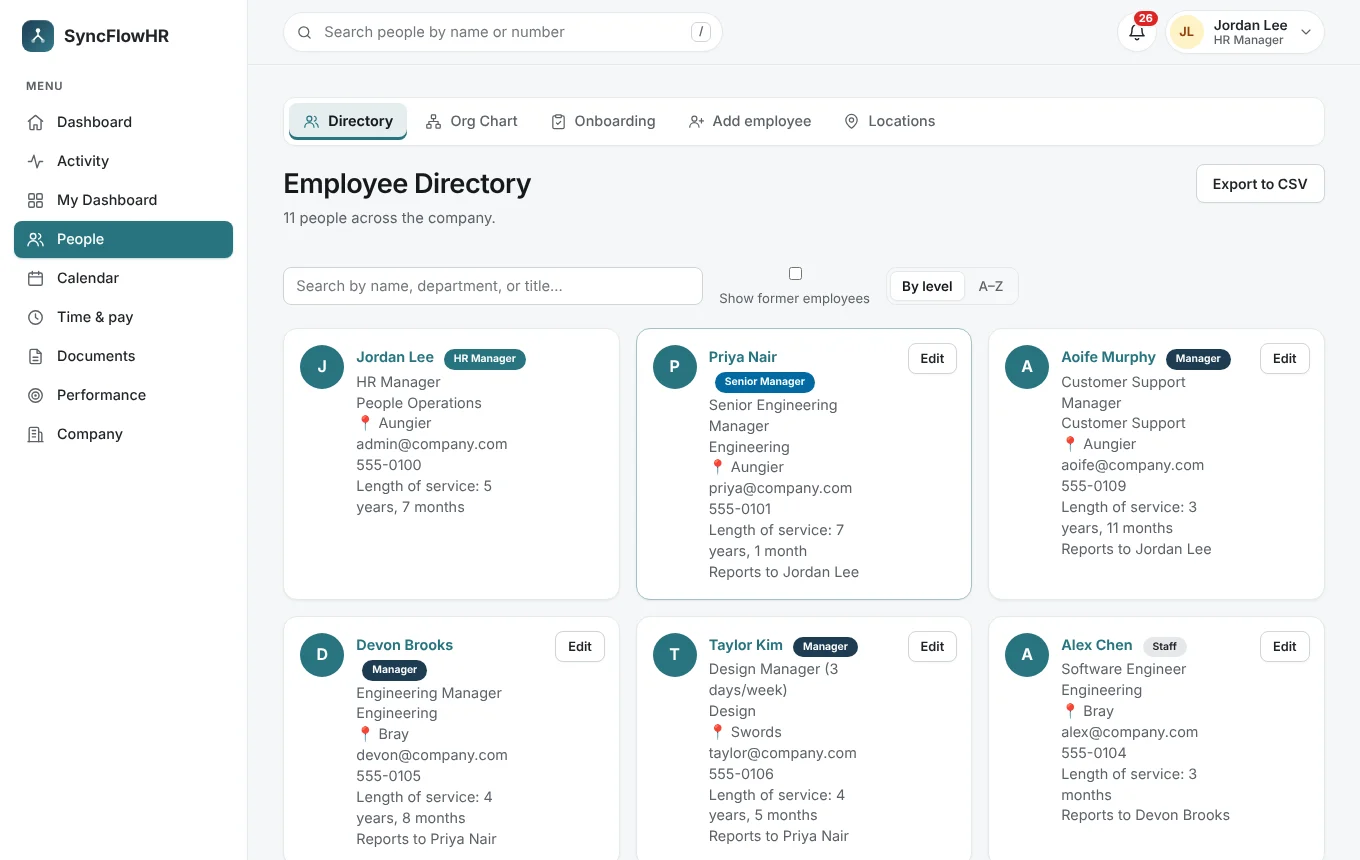
One record per person — contact details, role, manager, location, contract, working pattern and probation end date. Roles decide what each person can do, and managers only ever see the people below them.
- Employee directory with search and filters
- Custom roles with switches for viewing the team, approving leave, managing time, the rota, employees, onboarding, documents, pay, notifications, expenses and recruitment
- Locations: managers can add them and edit the ones they’re assigned to, or all of them if HR allows
- Probation end dates, with start date + 6 months suggested and a warning past 6 months
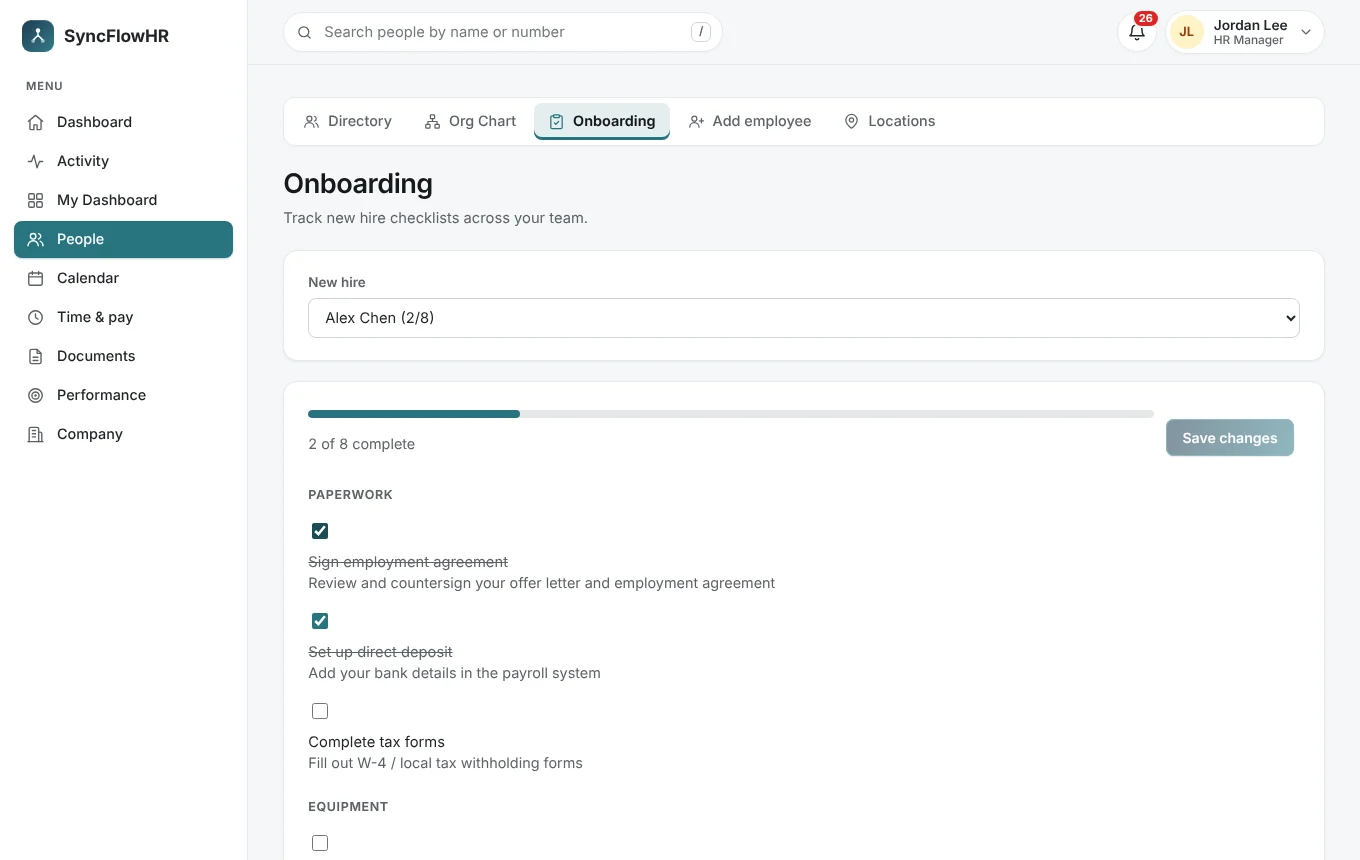
- Onboarding checklists and an offboarding workflow for leavers
See how the company fits together
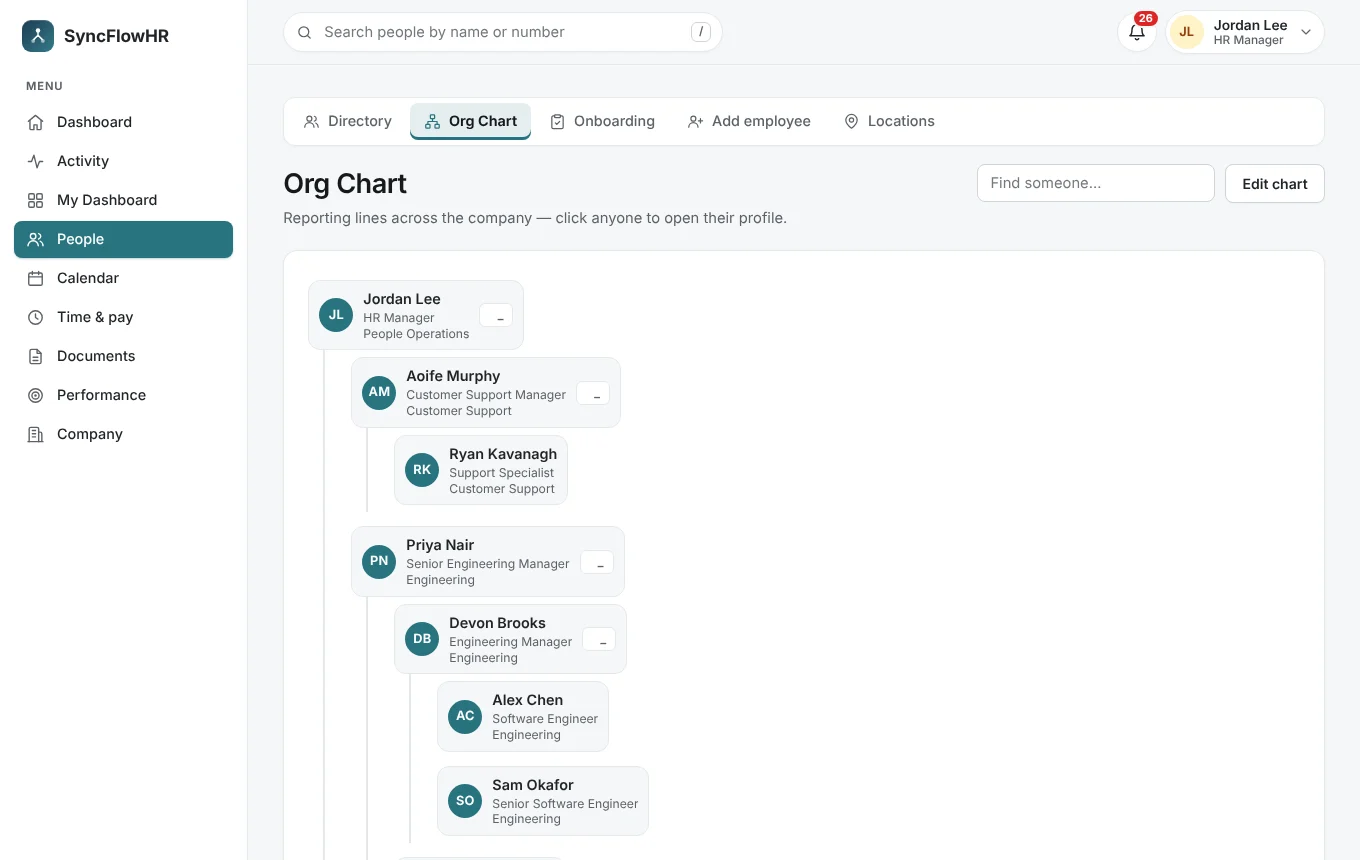
The org chart is drawn from the reporting lines you already keep. Click anyone to open their profile, or drag a person onto a new manager to change who they report to.
- Expand and collapse teams
- Find anyone by name
- Always up to date with the directory
Irish leave types, leave years and carry-over
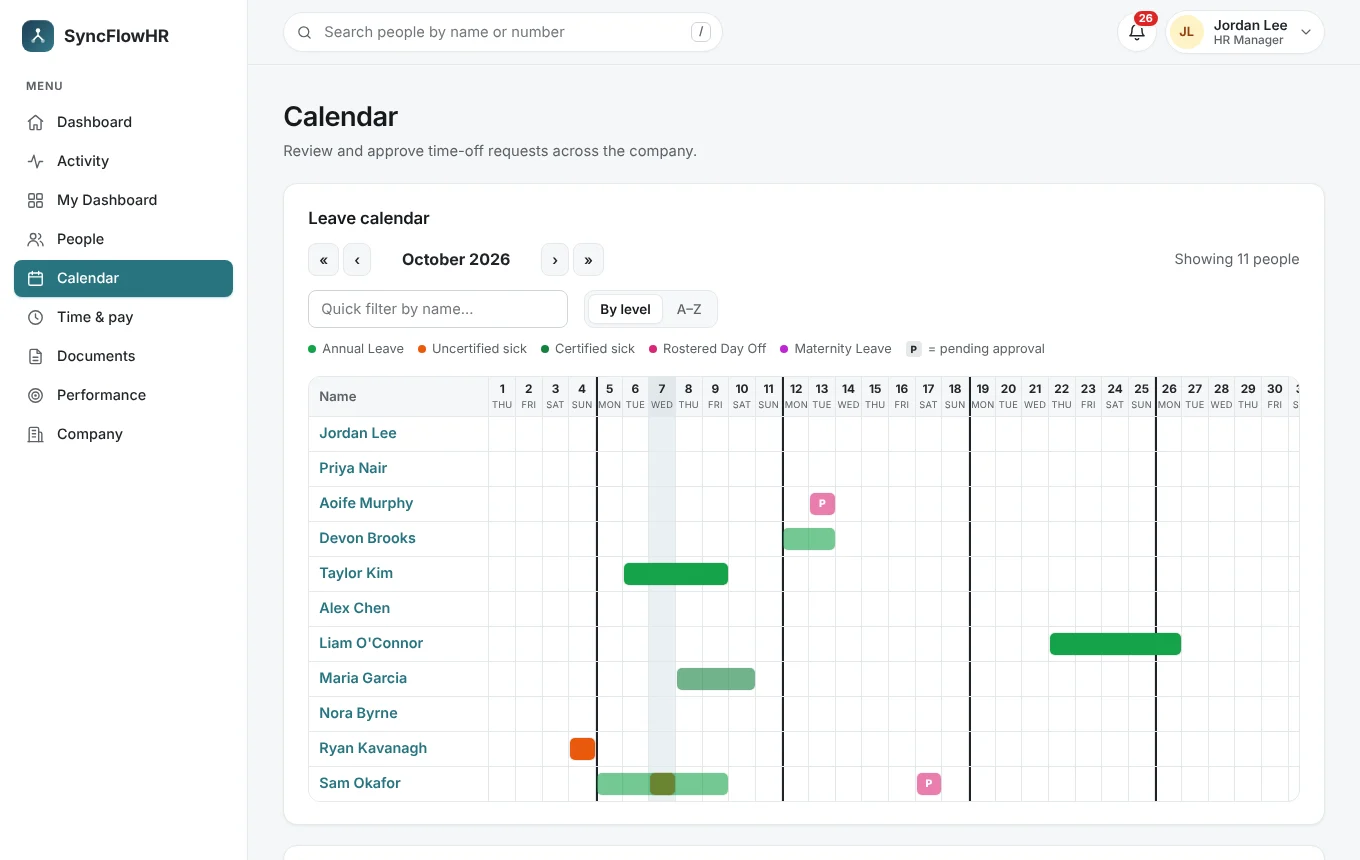
Every statutory leave type is built in — annual, sick (certified and uncertified), maternity, adoptive, paternity, parent’s, parental, carer’s, force majeure, domestic violence, medical care and jury service — alongside rostered days off, unpaid and compassionate leave.
- Leave counted in working days from each person’s pattern, skipping public holidays; half days on single-day requests (not for force majeure, domestic violence or medical care leave, which count as whole days)
- Leave year from the month you choose: entitlement scaled to each working pattern and pro rata for starters and leavers, or 8% of hours worked for variable-hours staff
- Carry-over up to a limit, to be used within the months you set; anything left then lapses
- Statutory sick leave days per calendar year after 13 weeks’ service
- Limits such as caps per 12 months or per child are checked on every request; a request over a limit shows a warning and only HR can approve it
- Team leave calendar with balances, and requests from any phone
Public holiday entitlement and pay, worked out per person
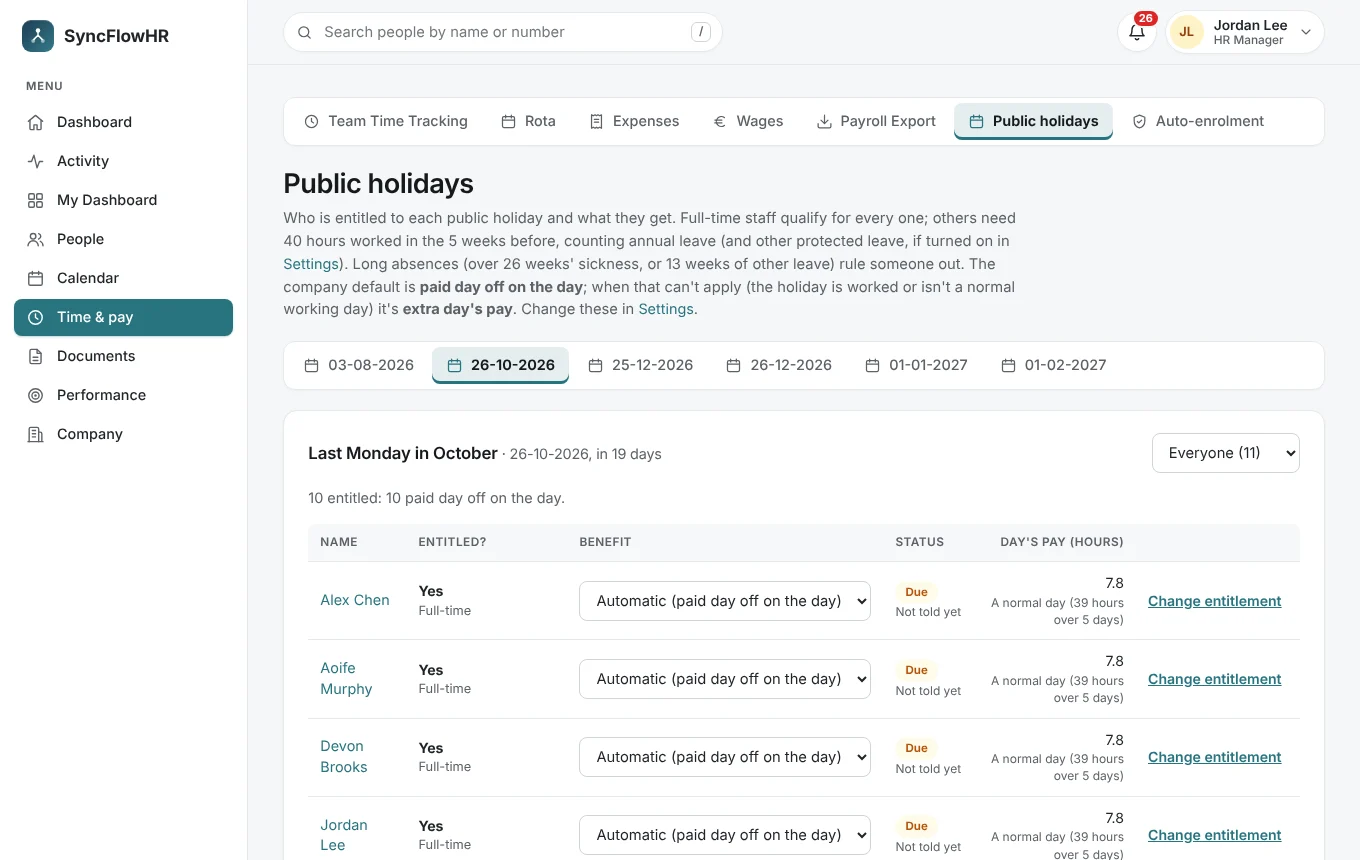
For every public holiday, each person gets a line saying whether they qualify and why: full-time staff from day one, everyone else on the hours they worked in the five weeks before. HR can override any line.
- Choose the benefit as a company default or per person: a paid day off on the day, a paid day off within a month, an extra day of annual leave or an extra day’s pay
- A day’s pay from normal hours, or from a 13-week average for variable hours
- The pay goes into the payroll summary as “Public holiday pay”; an extra day of leave goes onto the person’s leave year
Clock in from a phone or a shared kiosk
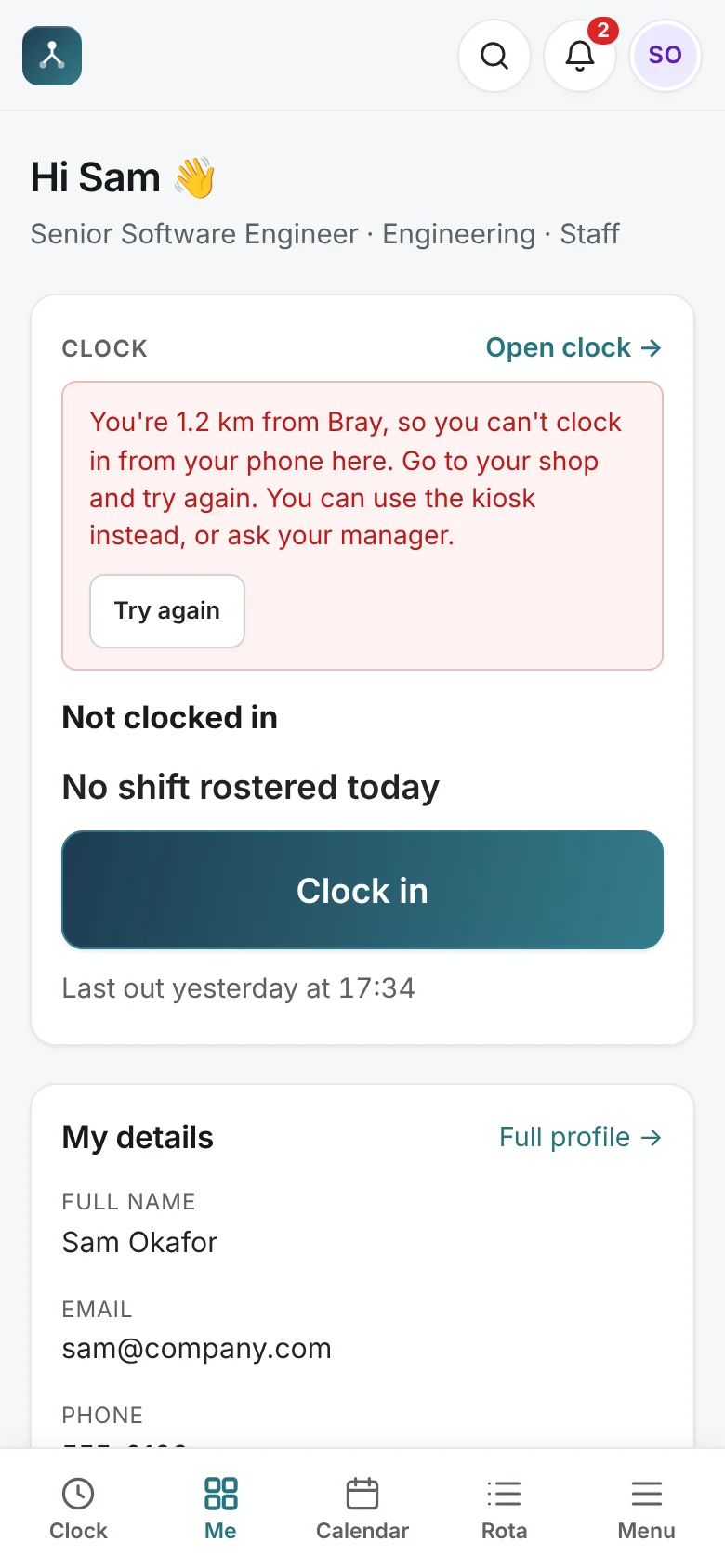
Staff clock in and out from the app on any device. You decide how strict the location check is: no check, flag clock-ins away from the location for review, or refuse clock-ins outside it. Clock-outs are never refused — they’re recorded and flagged instead.
- Each location has a position and a radius; people who work on the road can be allowed to clock in anywhere
- The phone’s location is read only at the moment of clocking in or out, and the coordinates are never stored
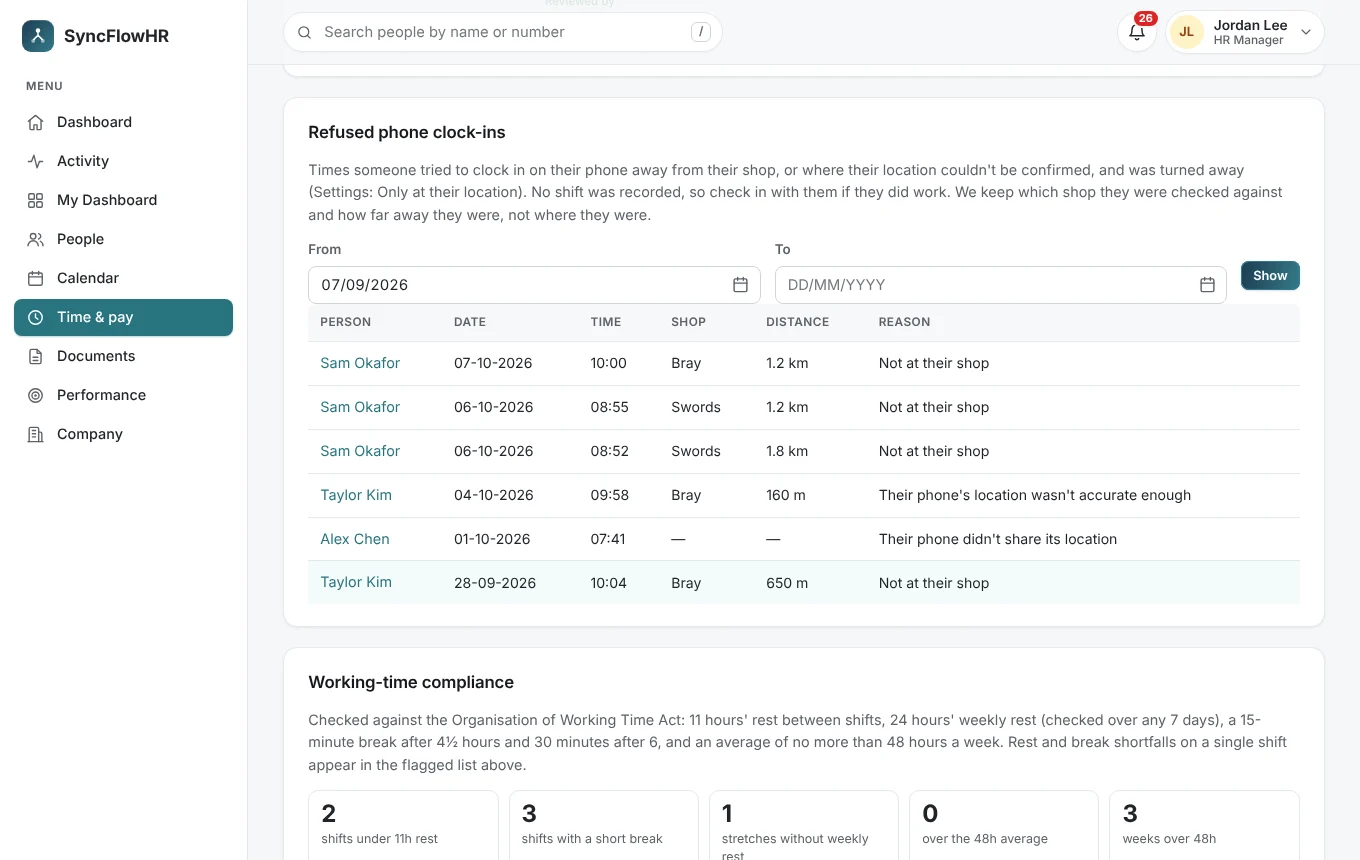
- Refused clock-ins are listed for HR and managers
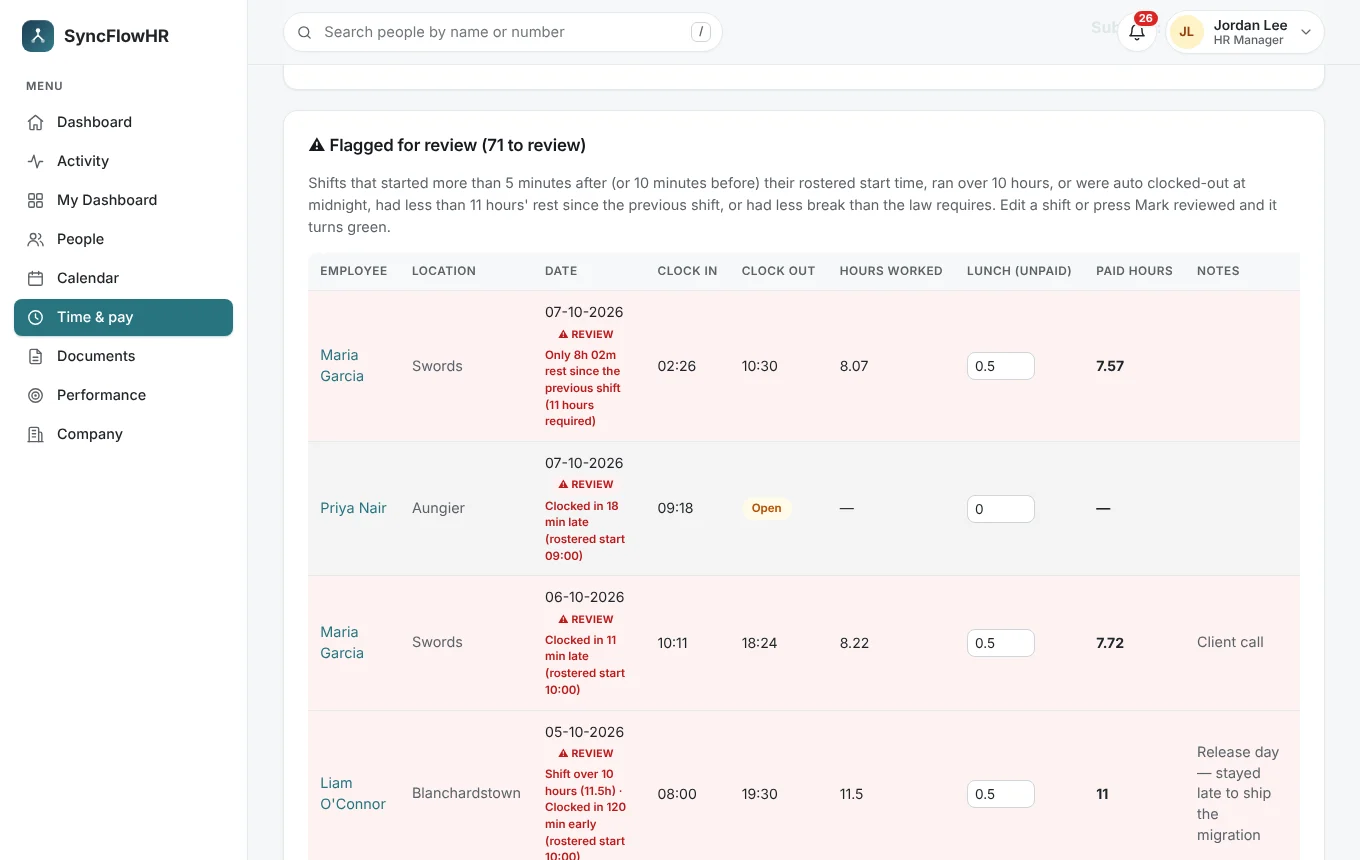
- Shifts are flagged for review when the clock-in is late or early, the shift runs past 10 hours, it was closed automatically at midnight, or it was clocked away from the location
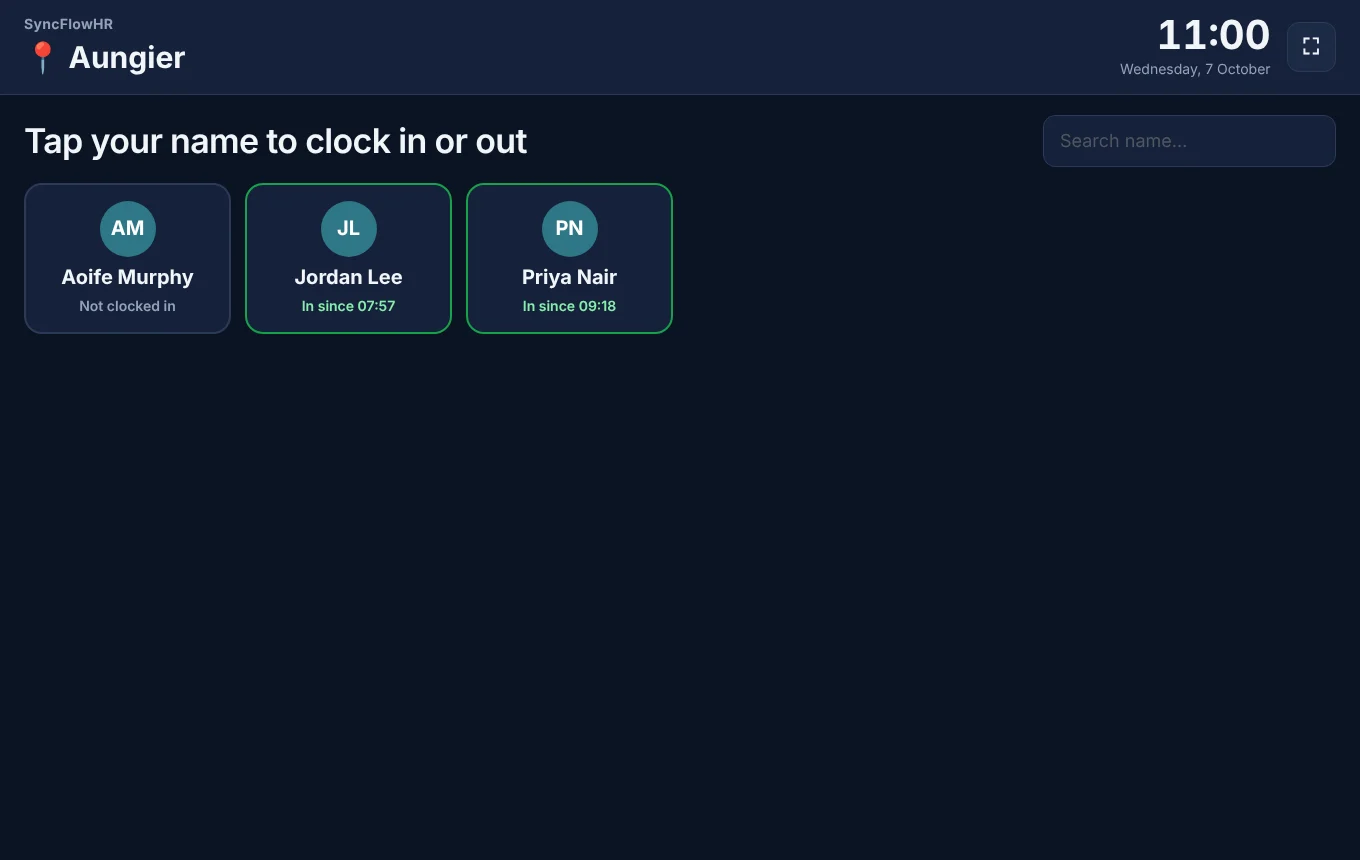
- On Pro, a shared touch-screen kiosk at each location: staff tap their name and enter a PIN, with break buttons and a reminder when a break is due
Working-time checks as time is logged
Every shift people clock is checked against the limits in the Organisation of Working Time Act, and anything outside them is flagged on the shift, in the compliance report and on the rota.
- 11 hours’ daily rest and 24 hours’ weekly rest (or 48 hours in 14 days)
- Breaks: 15 minutes past 4.5 hours, 30 minutes past 6 hours
- The 48-hour average working week over a reference period of 4, 6 or 12 months
- Edits and deletions of a shift are kept in its history
The checks tell you what the records show; they aren’t legal advice, and you remain responsible for your obligations as an employer.
Rotas that know who’s on leave
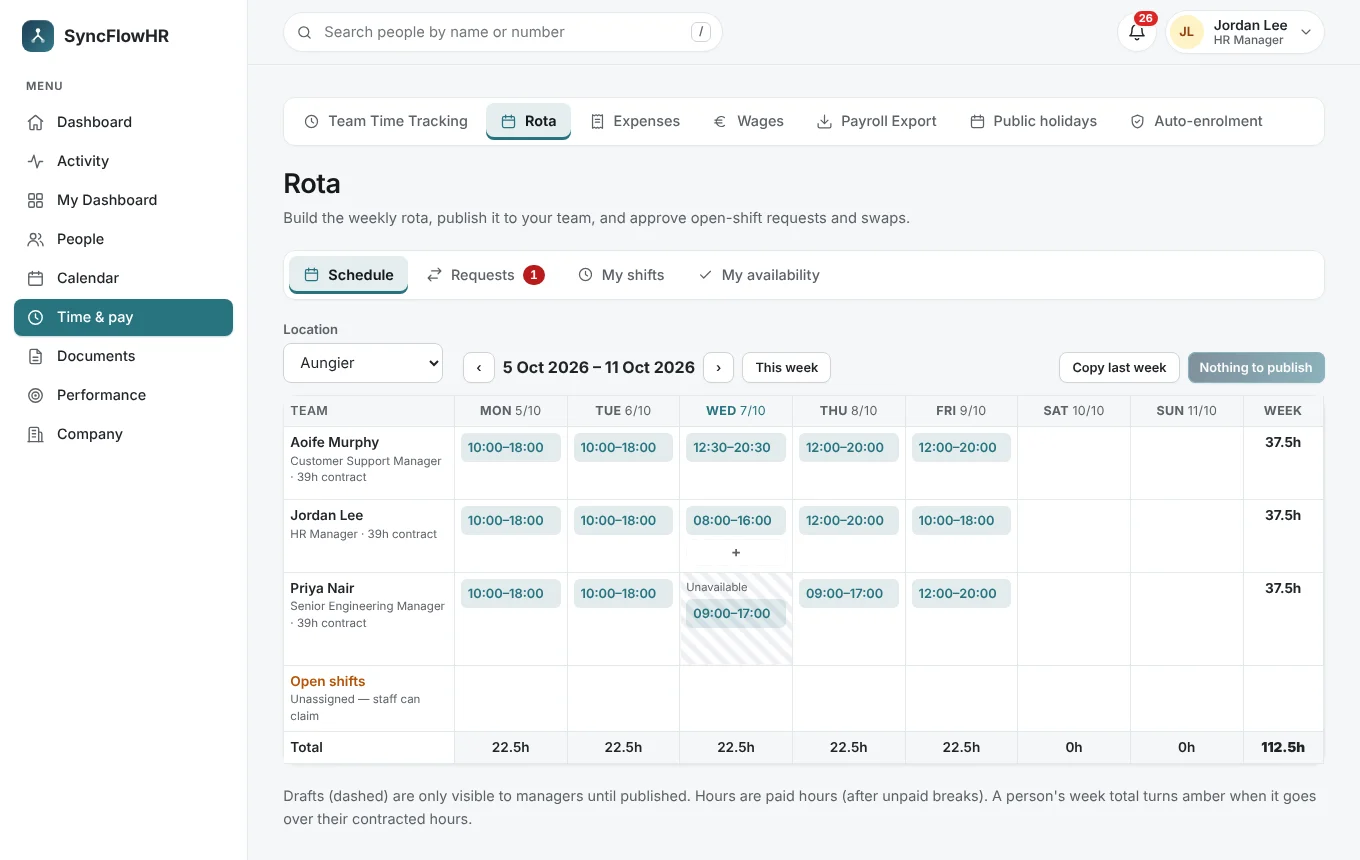
Build the week by location, publish it when it’s ready, and let staff claim open shifts and request swaps. Approved leave and availability are on the grid, and weekly totals turn amber when someone goes over their contracted hours.
- Drafts stay private until published
- Open shifts, swaps and availability
- Copy last week in one click
- Warnings from the working-time checks as you plan
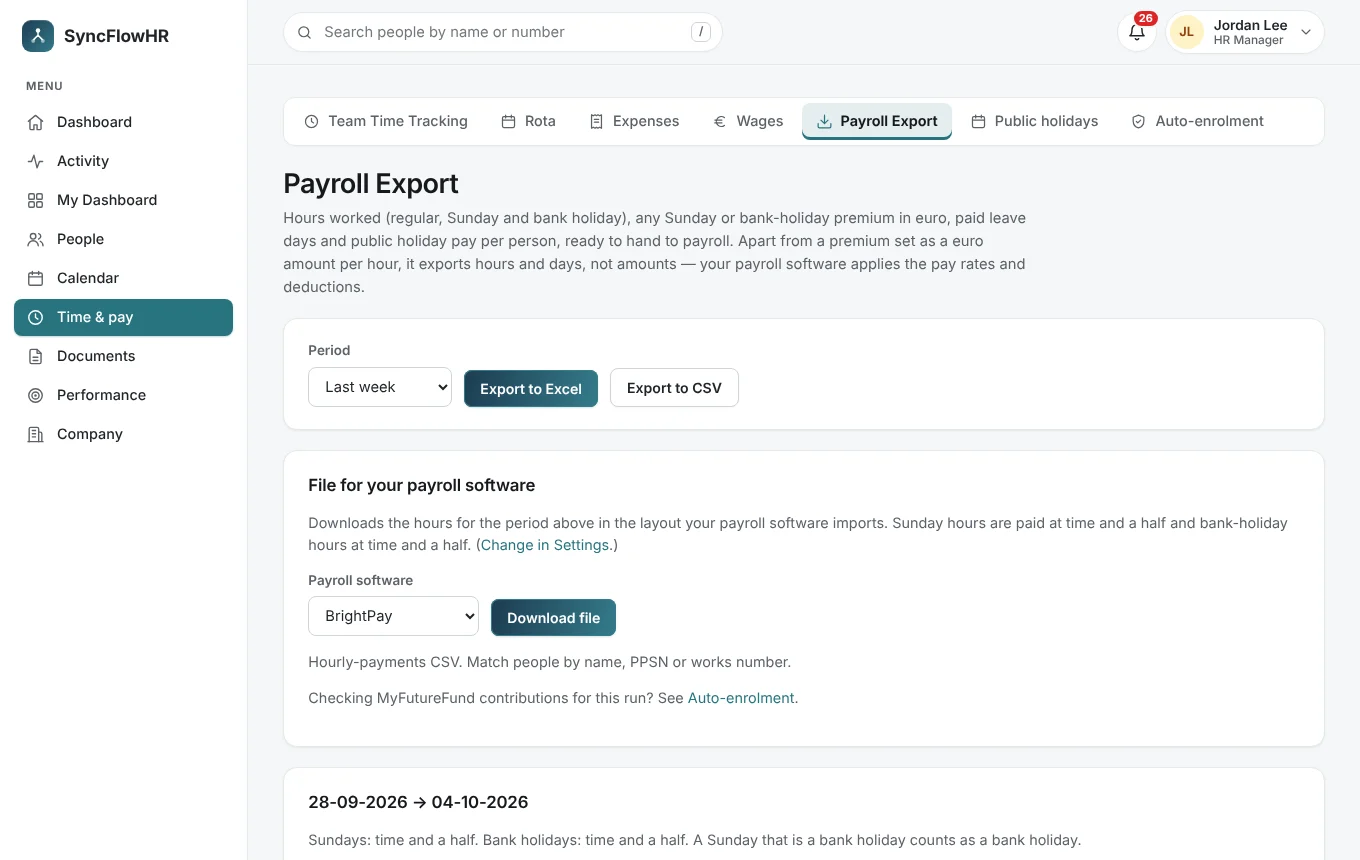
Payroll-ready hours, without the re-typing
Export each period’s hours, premiums and leave in the layout your payroll package imports. Set Sunday and bank-holiday premiums once, each as a multiplier of the normal rate or a fixed amount in euro per hour.
- Import files for BrightPay, Thesaurus and CollSoft, plus Excel
- A Sunday that’s also a bank holiday gets the bank-holiday premium only
- Public holiday pay in the payroll summary
- Pay history and wages
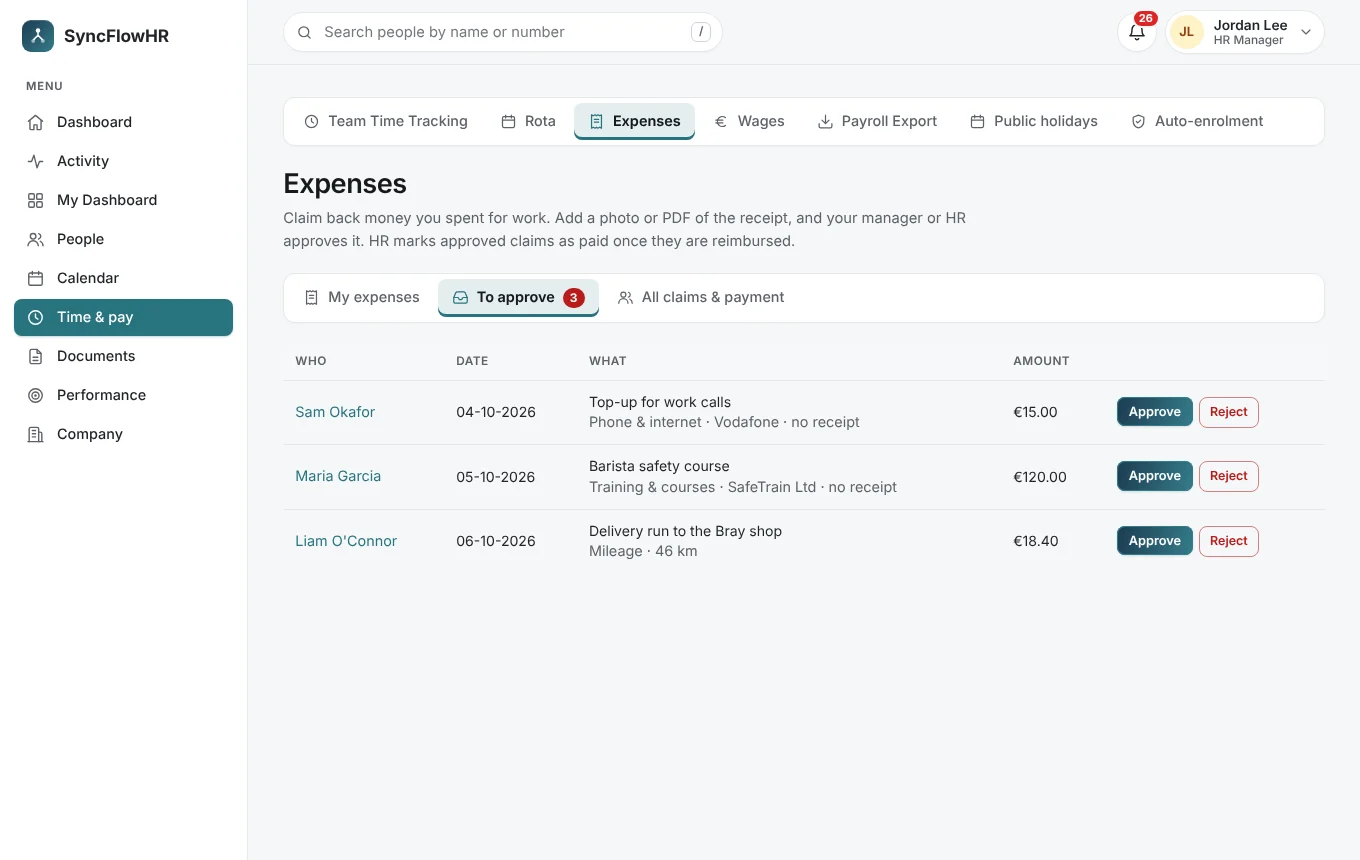
- Expense claims with receipts and mileage, approvals and an export
- MyFutureFund auto-enrolment: eligibility, key dates and a contribution check (Pro)
Contracts, policies and right-to-work papers
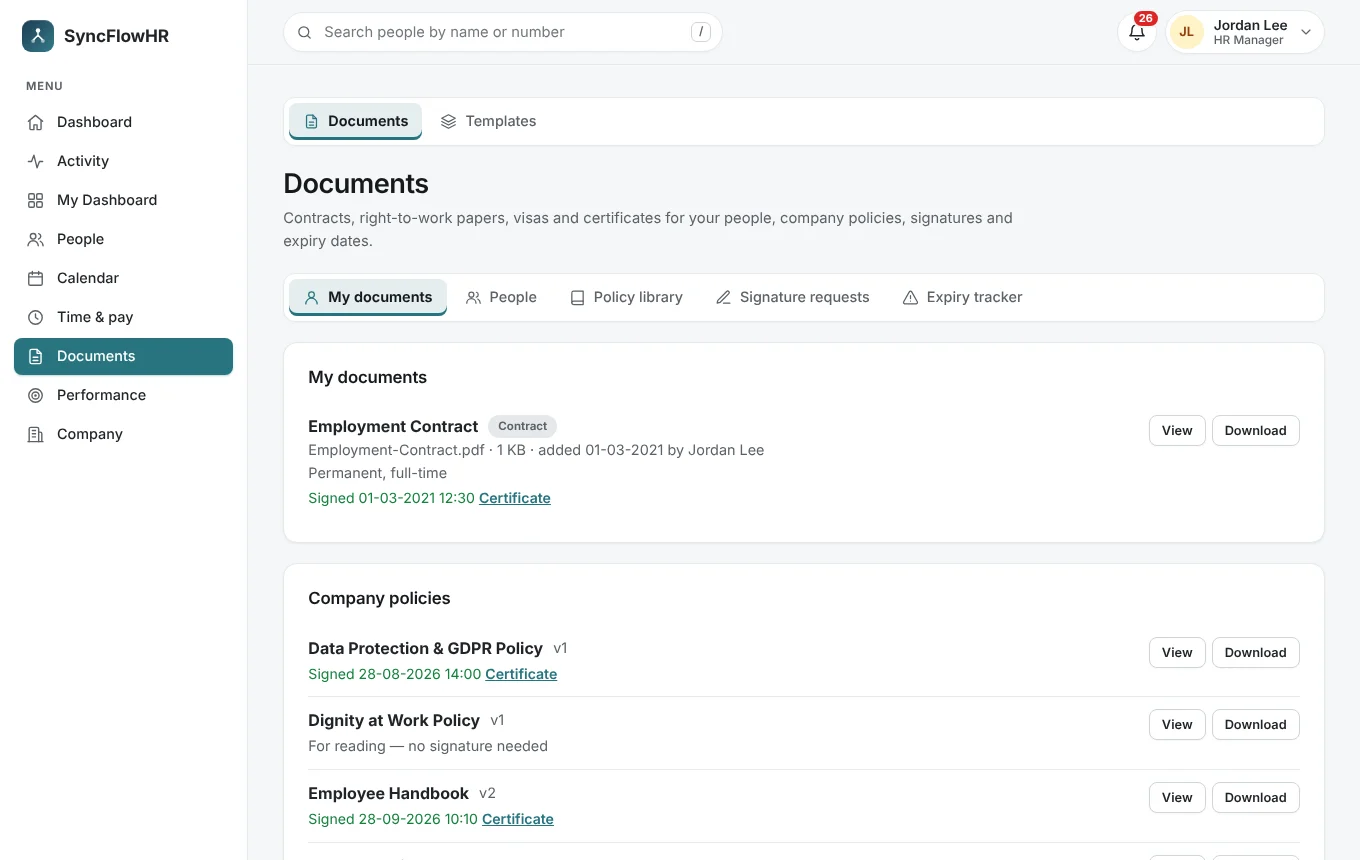
Keep every employee’s paperwork together, ask for signatures, and get reminded before documents expire.
- Signature requests with a certificate for each signed document
- Company policy library, with signatures where you need them
- Expiry reminders 60, 30, 14 and 7 days before, and on the day, for visas, right-to-work papers, IDs and certificates
- Every time a document is opened or downloaded goes in the audit log (Pro)
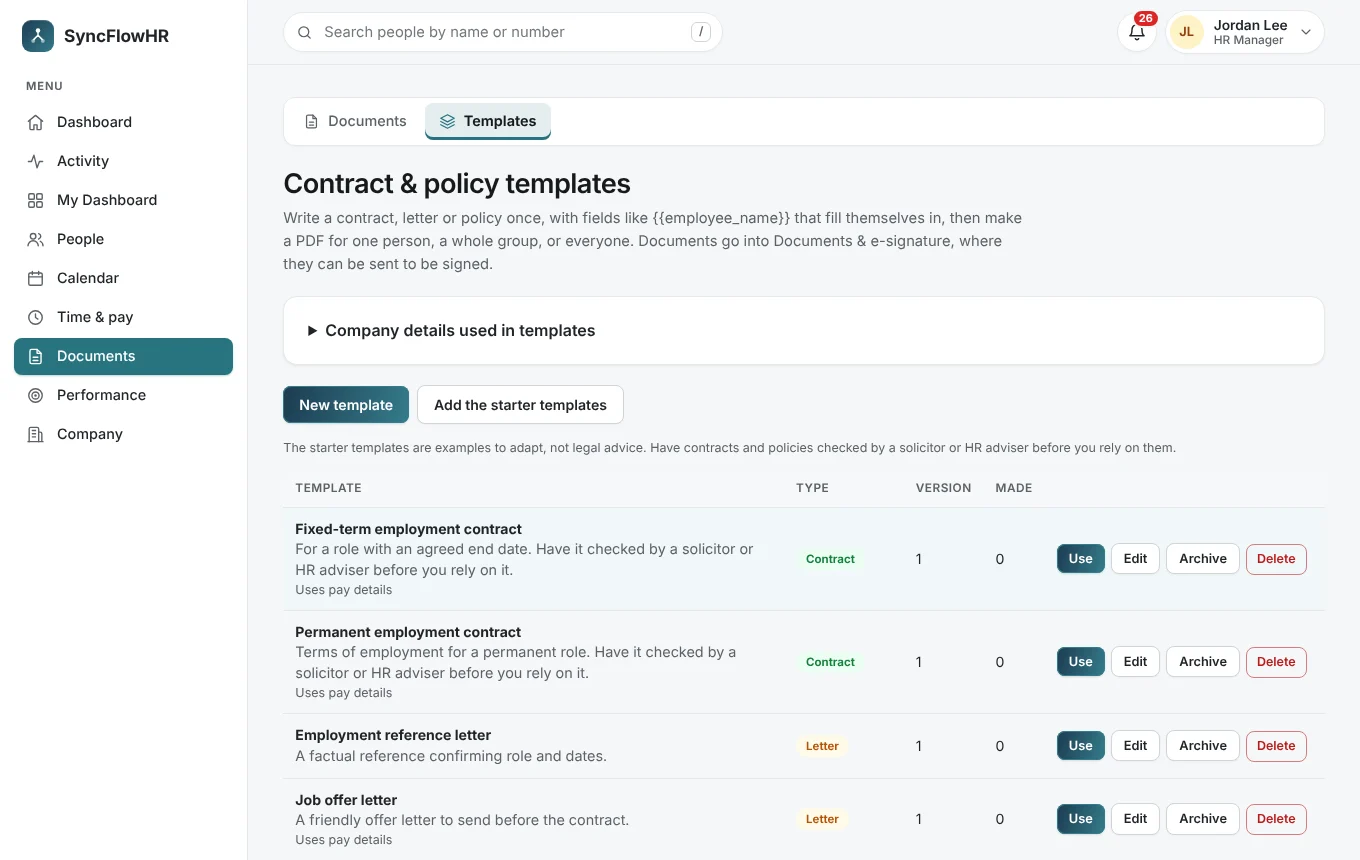
Write a template once, use it every time
Contract, letter and policy templates with merge fields — the employee’s name, start date, hours and more — turned into a PDF and a signing request for one person, a group or the whole company. Starter templates are included; have them checked by a solicitor before relying on them.
Reviews and hiring, kept simple
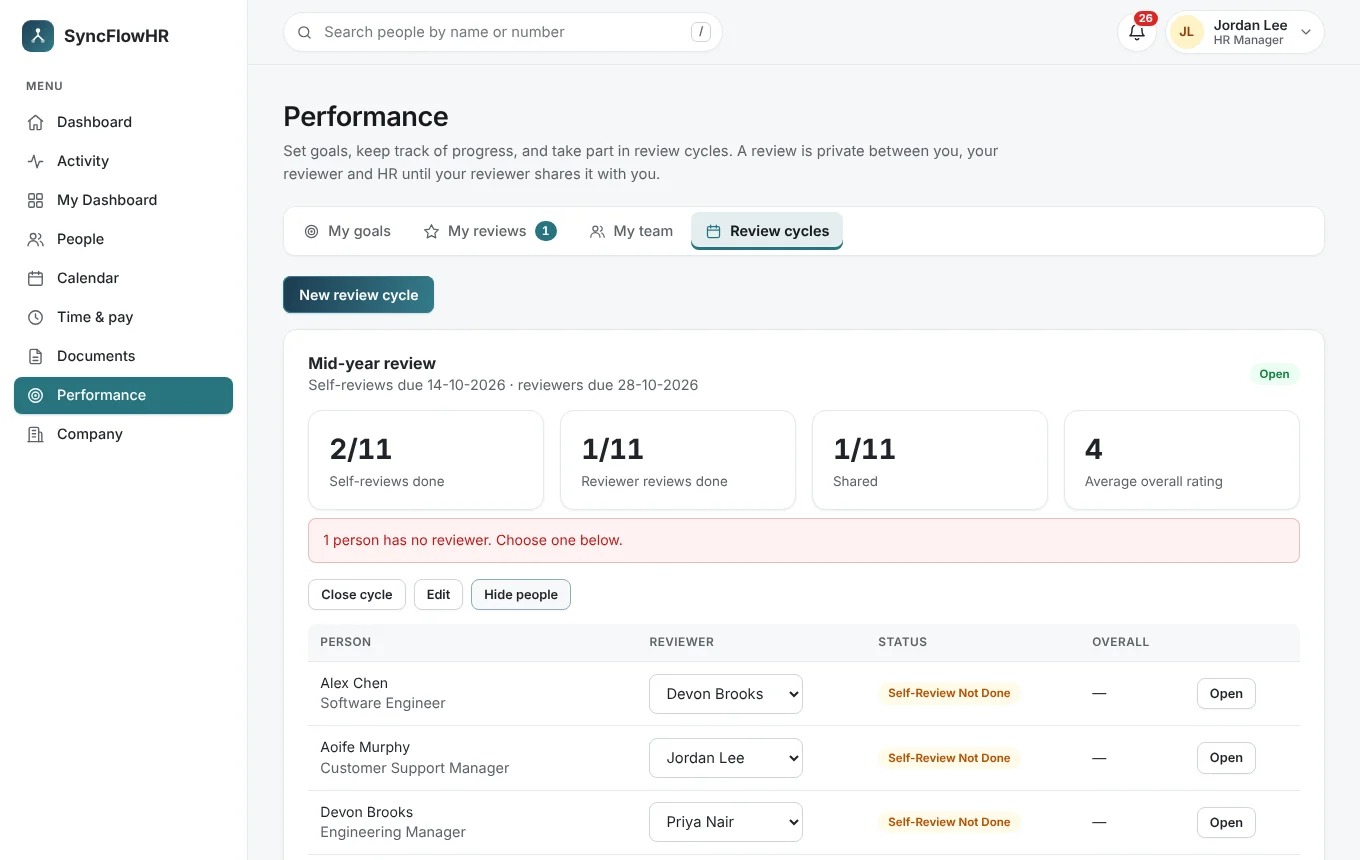
Performance: goals, comments and review cycles with self and manager stages. Reviews stay private between the reviewer and the employee until they’re shared.
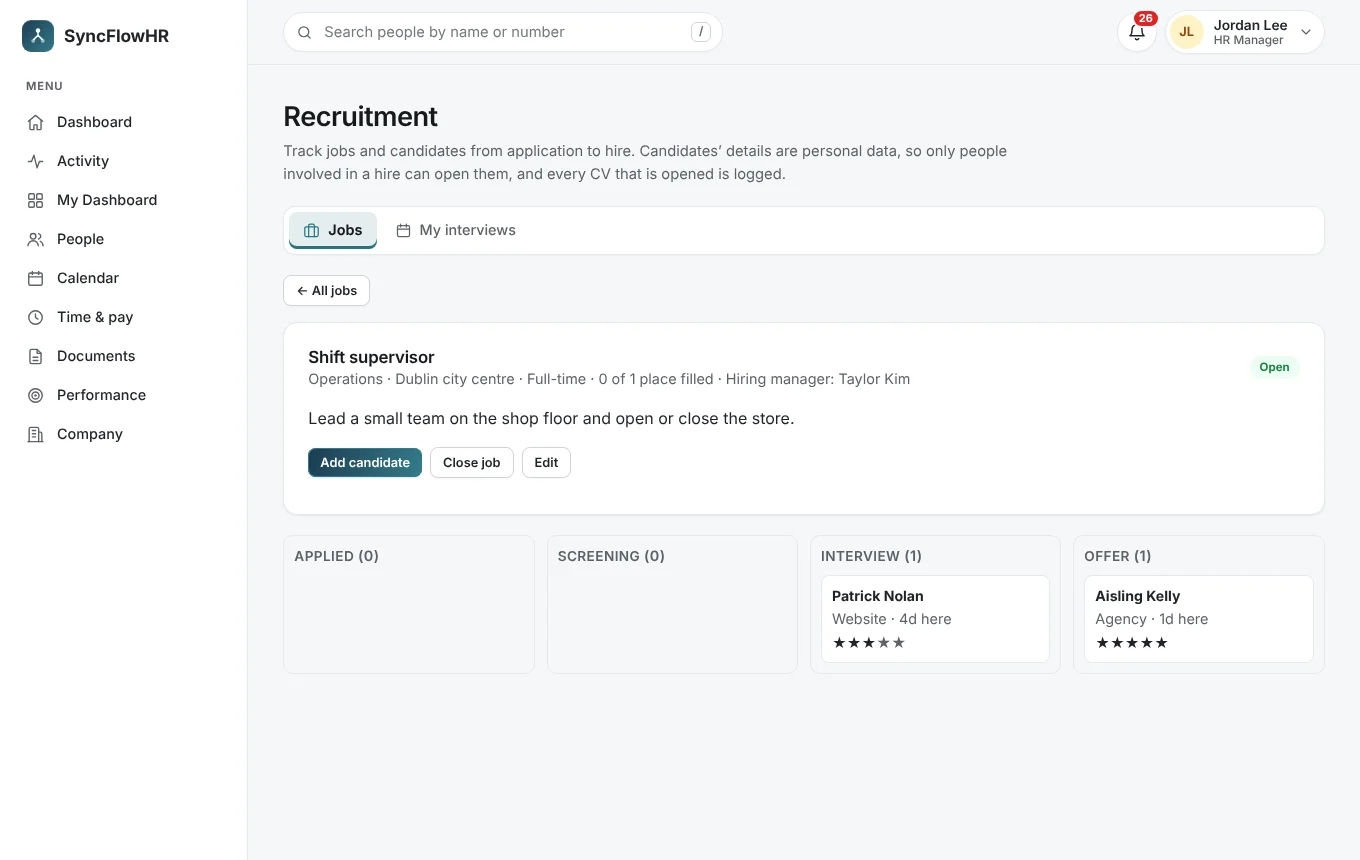
Recruitment: jobs, candidates, interviews and notes, with CVs that only the people involved in a hire can open. One click turns a candidate into an employee.
HR analytics from the records you already keep
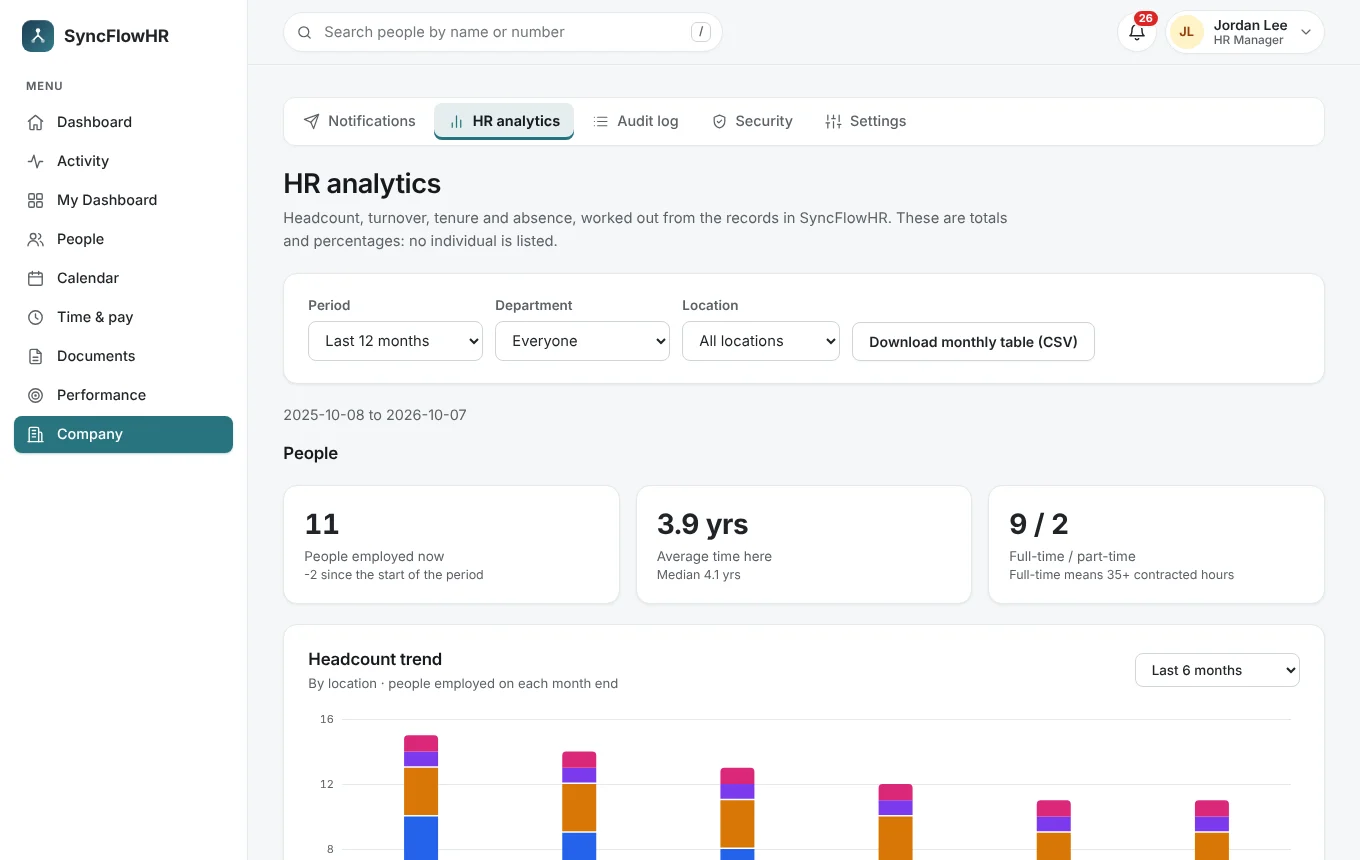
Headcount over time, joiners and leavers, absence, reviews and hiring, filtered by period, department and location. Everything is a total or a percentage, never an individual, and the monthly table downloads as CSV.
Record retention and data access requests
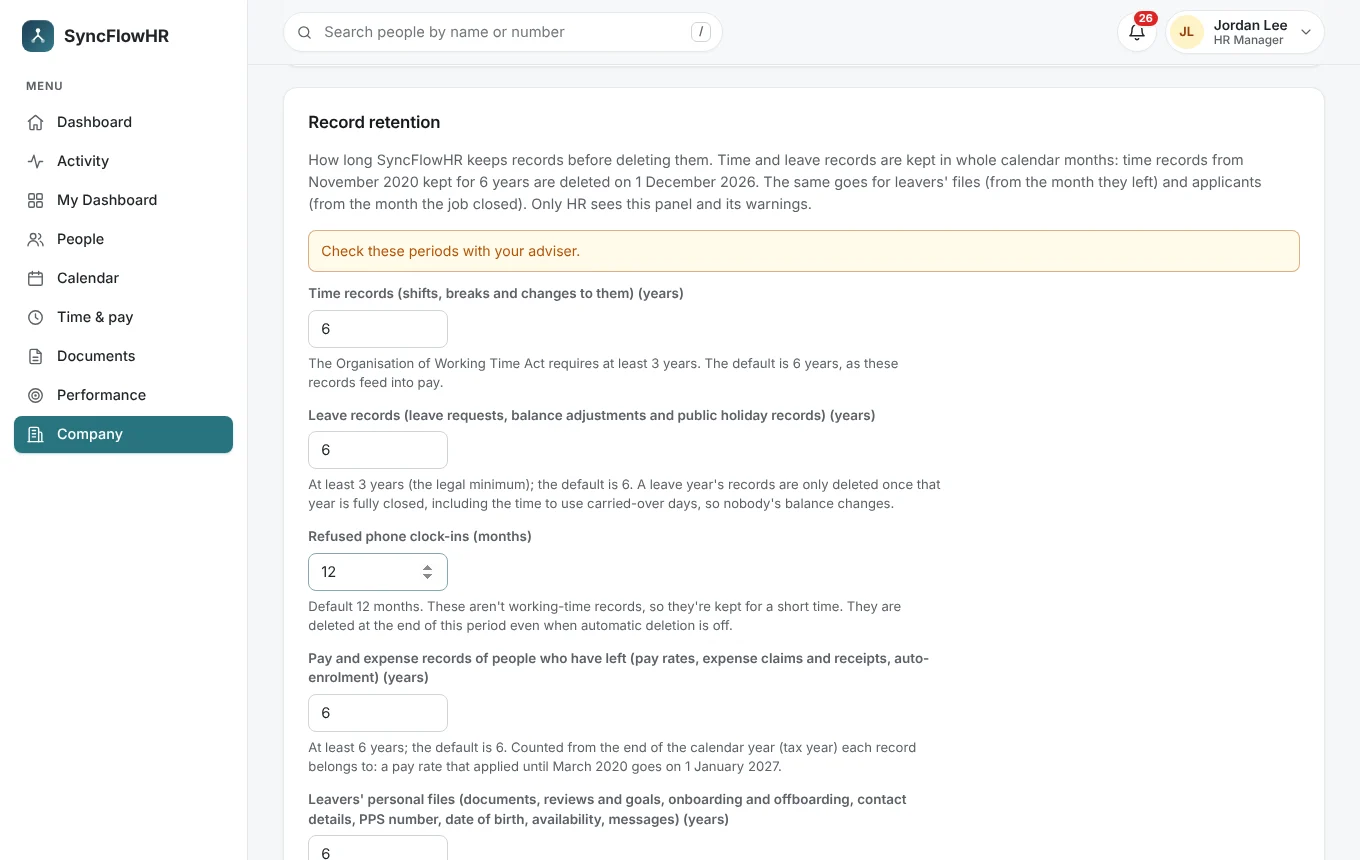
Set how long time, leave and pay records, leavers’ files and job applicants are kept. HR is warned in the app and by email before anything is deleted, with a reminder, and can download the records first.
- Automatic deletion only if you switch it on, and never before HR has been warned
- “Export before deletion” for each month’s records, as CSV or Excel
- A legal hold keeps everything about a person until it’s lifted
- A leaver’s password, sessions and two-factor set-up are cleared the day after they leave
- Download one person’s whole file — every record, plus their documents, receipts and CV — as a zip to answer a data access request
Know who changed what
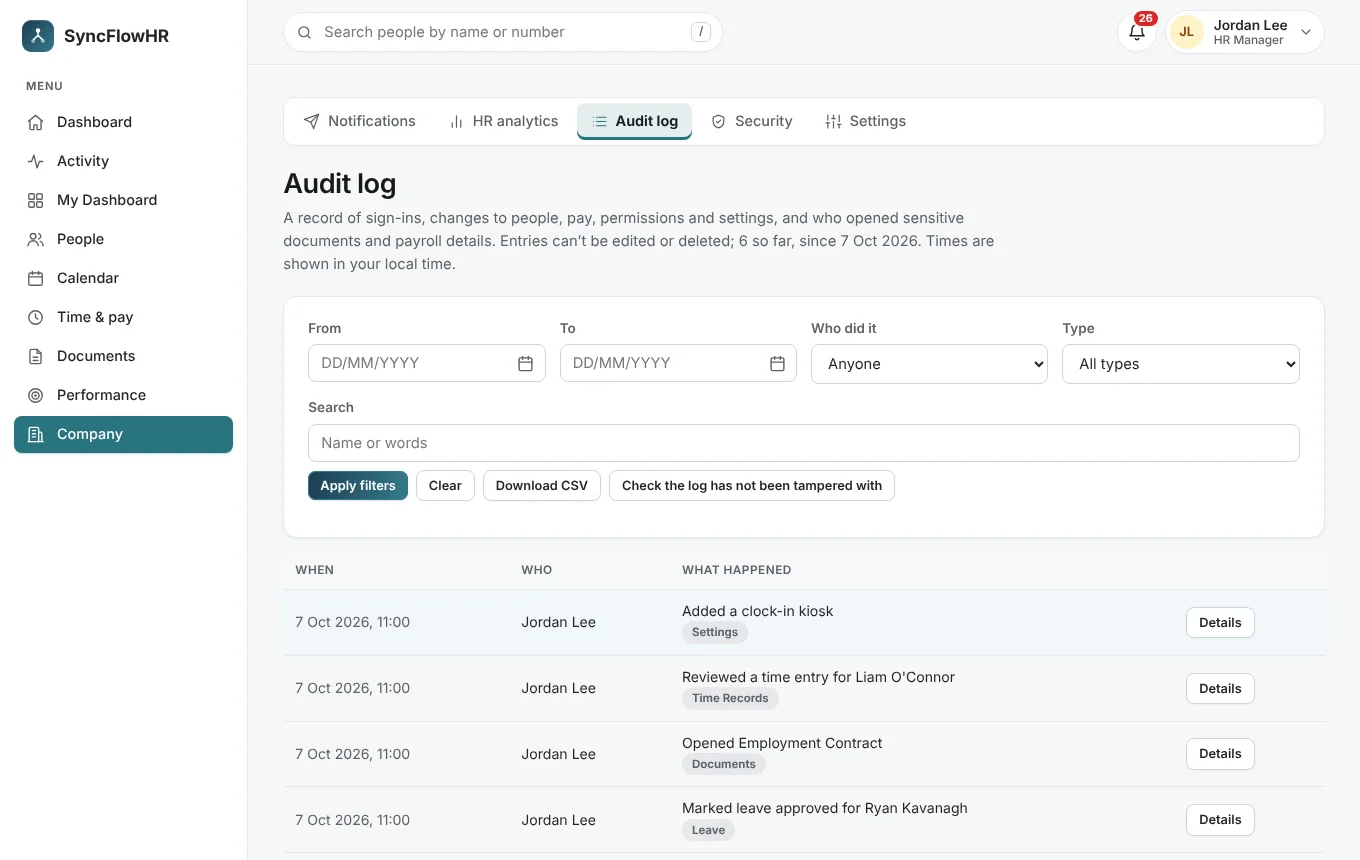
The audit log records sign-ins and changes to people, pay, leave, time, roles, settings and documents, including who opened or downloaded a document. Entries can’t be edited or deleted, and a one-click check shows the log hasn’t been changed.
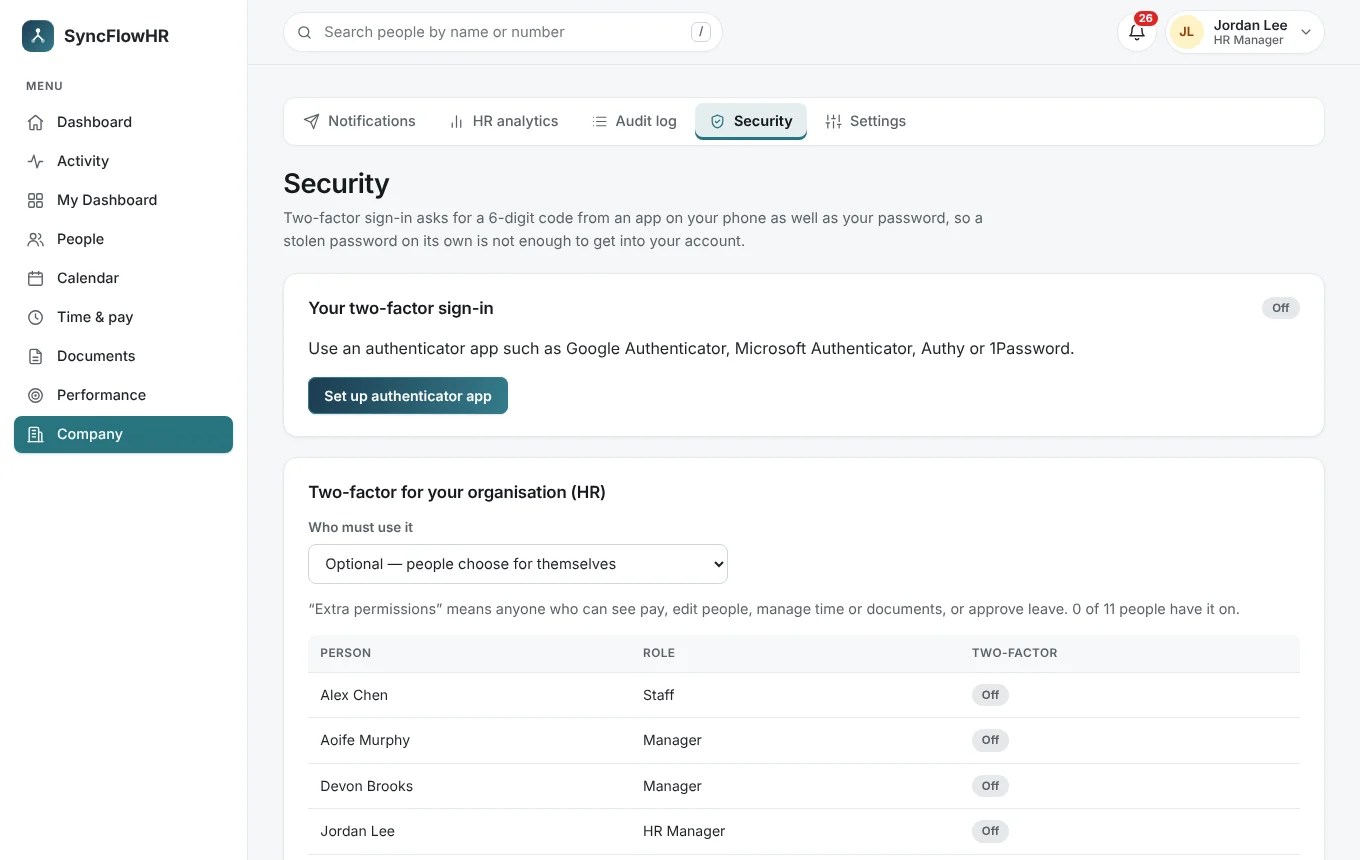
Two-factor sign-in with an authenticator app and recovery codes, required for nobody, for everyone with extra access, or for everyone.
The details
Also included
The everyday details that make it feel finished.
Notifications
Email and push announcements to the team (Growth & Pro).
Works on any device
Installs as an app on phones, tablets and computers.
Roles & permissions
Decide who sees pay, documents and reports.
Your data, exportable
The account owner can download the whole workspace at any time.
Get started
Ready to try it?
Start a free trial of your own workspace, or book a walkthrough with us first.